Basic Fog of War
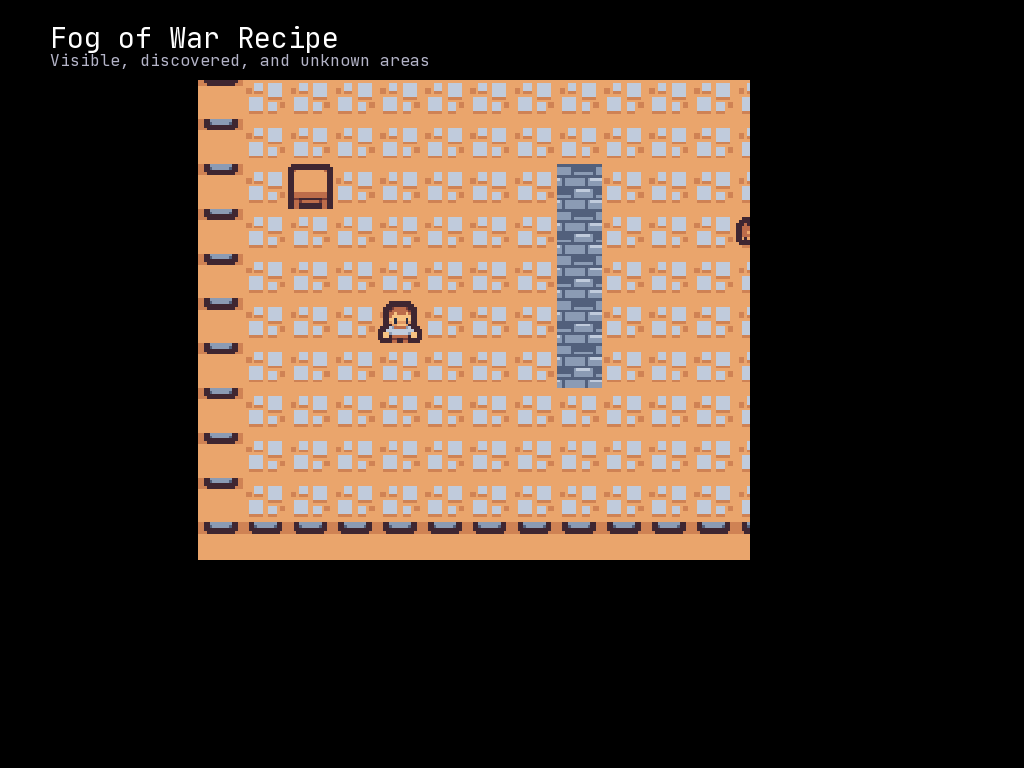
Create classic roguelike visibility with visible, discovered, and unknown areas using the Grid’s built-in perspective system.
Overview
Fog of war provides three visibility states, tracked per-entity in entity.perspective_map:
- Visible (
mcrfpy.Perspective.VISIBLE, value 2): Currently in the entity’s line of sight (fully lit) - Discovered (
mcrfpy.Perspective.DISCOVERED, value 1): Previously seen but not currently visible (dimmed) - Unknown (
mcrfpy.Perspective.UNKNOWN, value 0): Never seen (completely black)
The simplest way to get fog of war is to set grid.perspective = some_entity: the engine
automatically draws unseen cells black and discovered-but-not-visible cells dimmed, using
that entity’s perspective_map. For custom colors/shading, bind a ColorLayer to the
entity instead (see Rendering with ColorLayer below).
Quick Start
import mcrfpy

# Create scene and grid
scene = mcrfpy.Scene("game")
mcrfpy.current_scene = scene

texture = mcrfpy.default_texture
grid = mcrfpy.Grid(grid_size=(50, 50), texture=texture, pos=(0, 0), size=(800, 600))
scene.children.append(grid)

# Add player entity
player = mcrfpy.Entity(grid_pos=(25, 25), texture=texture, sprite_index=0)
grid.entities.append(player)

# Set player as the perspective entity - the view now renders fog of war
# based on what the player has seen (unseen cells drawn black, discovered
# cells dimmed). Set to None for an omniscient (fully-lit) view.
grid.perspective = player
grid.fov_radius = 10
Computing Field of View
Each entity tracks its own visibility in entity.perspective_map. Call
entity.update_visibility() after the entity moves to recompute it (the engine also
calls this automatically for entities driven by grid.step() behaviors):
def update_fov():
    """Recompute FOV from the player's current position."""
    player.update_visibility()

# Call after every player move
def move_player(dx, dy):
    x, y = player.grid_x, player.grid_y
    new_x, new_y = x + dx, y + dy

    # Check if destination is walkable
    cell = grid.at(new_x, new_y)
    if cell is not None and cell.walkable:
        player.grid_pos = (new_x, new_y)
        update_fov()
grid.fov selects the shadowcasting algorithm used by update_visibility()
(mcrfpy.FOV.BASIC by default; see FOV Algorithms below), and
grid.fov_radius sets the default sight radius.
Rendering with ColorLayer
grid.perspective covers the common case, but for custom tint colors, bind a
ColorLayer directly to the entity with apply_perspective(). Once bound, the layer
is repainted every time you call entity.update_visibility():
# Add a color layer for FOV shading (behind tiles)
color_layer = mcrfpy.ColorLayer(z_index=-1, name="fog")
grid.add_layer(color_layer)

# Bind the layer to the player's perspective
color_layer.apply_perspective(
    entity=player,
    visible=mcrfpy.Color(0, 0, 0, 0),         # Transparent - fully visible
    discovered=mcrfpy.Color(40, 40, 60, 180), # Dim blue-gray overlay
    unknown=mcrfpy.Color(0, 0, 0, 255)        # Solid black
)

# Recompute + repaint together
player.update_visibility()
Complete Example
import mcrfpy

# Scene setup
scene = mcrfpy.Scene("dungeon")
mcrfpy.current_scene = scene

# Load tileset
texture = mcrfpy.default_texture

# Create grid
grid = mcrfpy.Grid(grid_size=(50, 50), texture=texture, pos=(0, 0), size=(800, 600))
scene.children.append(grid)

# Initialize dungeon - walls block sight and movement
for x in range(50):
    for y in range(50):
        point = grid.at(x, y)
        if x == 0 or y == 0 or x == 49 or y == 49:
            # Outer walls
            point.tilesprite = 1  # Wall tile
            point.walkable = False
            point.transparent = False
        else:
            # Floor tiles
            point.tilesprite = 0  # Floor tile
            point.walkable = True
            point.transparent = True

# Add some pillars to test LOS blocking
pillars = [(10, 10), (20, 15), (30, 25), (15, 35)]
for px, py in pillars:
    point = grid.at(px, py)
    point.tilesprite = 2  # Pillar tile
    point.walkable = False
    point.transparent = False

# Create player
player = mcrfpy.Entity(grid_pos=(25, 25), texture=texture, sprite_index=64)  # Player sprite
grid.entities.append(player)

# Add a custom fog of war layer bound to the player
fog_layer = mcrfpy.ColorLayer(z_index=-1, name="fog")
grid.add_layer(fog_layer)
fog_layer.apply_perspective(
    entity=player,
    visible=mcrfpy.Color(0, 0, 0, 0),
    discovered=mcrfpy.Color(20, 20, 40, 160),
    unknown=mcrfpy.Color(0, 0, 0, 255)
)

grid.fov_radius = 8

def update_visibility():
    """Recompute FOV and repaint the bound fog layer."""
    player.update_visibility()

def handle_input(key, action):
    if action != mcrfpy.InputState.PRESSED:
        return

    x, y = player.grid_x, player.grid_y
    dx, dy = 0, 0

    if key in (mcrfpy.Key.W, mcrfpy.Key.Up):
        dy = -1
    elif key in (mcrfpy.Key.S, mcrfpy.Key.Down):
        dy = 1
    elif key in (mcrfpy.Key.A, mcrfpy.Key.Left):
        dx = -1
    elif key in (mcrfpy.Key.D, mcrfpy.Key.Right):
        dx = 1

    if dx != 0 or dy != 0:
        new_x, new_y = x + dx, y + dy
        cell = grid.at(new_x, new_y)
        if cell is not None and cell.walkable:
            player.grid_pos = (new_x, new_y)
            update_visibility()

scene.on_key = handle_input

# Initial FOV calculation
update_visibility()

# Center camera on player
grid.center_camera((player.grid_x + 0.5, player.grid_y + 0.5))
Checking Visibility in Code
Query visibility state for game logic via the moving entity’s perspective_map
(0=unknown, 1=discovered, 2=visible), or the entity.at() convenience method:
def is_tile_visible(x, y):
    """Check if a tile is currently visible to the player."""
    return player.perspective_map[x, y] == mcrfpy.Perspective.VISIBLE

def is_tile_discovered(x, y):
    """Check if a tile has ever been seen."""
    return player.perspective_map[x, y] != mcrfpy.Perspective.UNKNOWN

def get_visible_enemies():
    """Return list of enemies the player can see."""
    return player.visible_entities()
entity.at(x, y) returns the GridPoint at that cell only if it is currently VISIBLE
to that entity’s perspective_map, or None otherwise – handy for “can I act on this
cell right now” checks. entity.visible_entities() returns other entities within the
entity’s FOV directly, without a manual scan.
If you only need a one-off computation without per-entity memory (e.g. checking line of sight for a single spell), use the lower-level grid API instead:
grid.compute_fov((player.grid_x, player.grid_y), radius=10, algorithm=mcrfpy.FOV.SHADOW)
if grid.is_in_fov(target_x, target_y):
    ...
FOV Algorithms
McRogueFace supports multiple FOV algorithms via the mcrfpy.FOV enum, used by both
entity.update_visibility() (via grid.fov) and grid.compute_fov():
# Shadowcasting (default) - fast and produces nice results
grid.compute_fov((x, y), radius=10, algorithm=mcrfpy.FOV.SHADOW)

# Basic (libtcod default)
grid.compute_fov((x, y), radius=10, algorithm=mcrfpy.FOV.BASIC)

# Diamond - simple but produces diamond-shaped FOV
grid.compute_fov((x, y), radius=10, algorithm=mcrfpy.FOV.DIAMOND)

# Permissive - sees more tiles, good for tactical games (0-8, increasingly permissive)
grid.compute_fov((x, y), radius=10, algorithm=mcrfpy.FOV.PERMISSIVE_4)

# Other options: FOV.RESTRICTIVE, FOV.SYMMETRIC_SHADOWCAST
To make entity.update_visibility() use a non-default algorithm, set it on the grid
once: grid.fov = mcrfpy.FOV.SHADOW.
Tips
- Call update after movement: Always call
entity.update_visibility()after the player moves - Transparent vs Walkable: A tile can be see-through but not walkable (glass, water)
- Layer z-index: Use negative z-index so fog renders behind entities
- Memory:
entity.perspective_maptracks discovered tiles per-entity - Cheap built-in fog:
grid.perspective = entitygets you black/dimmed fog with zero extra layers; only reach for a boundColorLayerwhen you need custom colors
Related Recipes
- Dungeon Generator - Generate maps with walls
- Dijkstra Maps - Pathfinding that respects visibility
- Cell Highlighting - Highlight visible targets