Part 7: User Interface
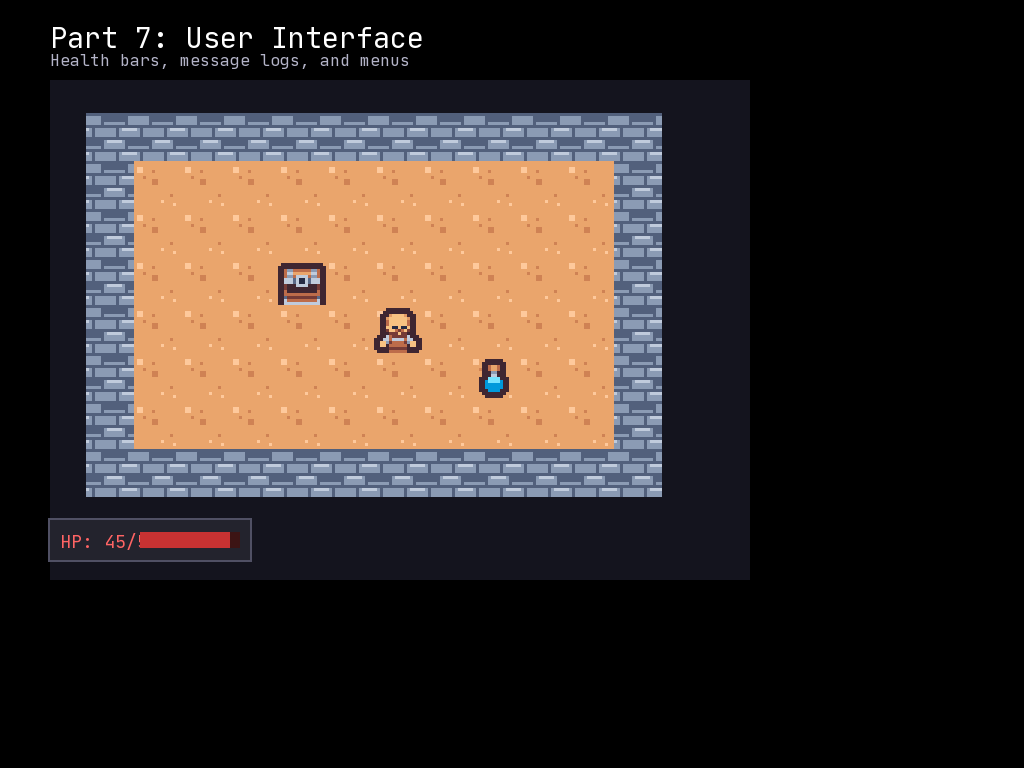
In Part 6, we implemented combat with a simple HP display and message log. Now we will build a proper user interface with a visual health bar, a scrolling message log, and dungeon information. Good UI makes the difference between a confusing game and an engaging one.
What You Will Learn
- Creating a visual health bar using nested Frames
- Building a scrollable message log with Frame and Captions
- Displaying dungeon level information
- Color-coding messages by type (damage, healing, info)
- Updating UI elements when game state changes
- Organizing UI layout and positioning
UI Design Philosophy
A roguelike UI should provide information at a glance:
| Element | Purpose | Location |
|---|---|---|
| Health Bar | Current HP as visual bar | Top or bottom |
| Message Log | Recent events | Below game area |
| Dungeon Level | Current depth | Corner |
| Stats | Attack, defense, etc. | Side panel |
We will build each component step by step.
The Complete Code
Create a file called part_07_ui.py:
"""McRogueFace Tutorial - Part 7: User Interface

Create a polished UI with health bar, message log, and stats display.
"""
import mcrfpy
import random
from dataclasses import dataclass
from typing import Optional

# =============================================================================
# Constants
# =============================================================================

# Sprite indices for CP437 tileset
SPRITE_WALL = 35    # '#' - wall
SPRITE_FLOOR = 46   # '.' - floor
SPRITE_PLAYER = 64  # '@' - player
SPRITE_CORPSE = 37  # '%' - remains

# Enemy sprites
SPRITE_GOBLIN = 103  # 'g'
SPRITE_ORC = 111     # 'o'
SPRITE_TROLL = 116   # 't'

# Grid dimensions
GRID_WIDTH = 50
GRID_HEIGHT = 30

# Room generation parameters
ROOM_MIN_SIZE = 6
ROOM_MAX_SIZE = 12
MAX_ROOMS = 8

# Enemy spawn parameters
MAX_ENEMIES_PER_ROOM = 3

# FOV settings
FOV_RADIUS = 8

# Visibility colors
COLOR_VISIBLE = mcrfpy.Color(0, 0, 0, 0)
COLOR_DISCOVERED = mcrfpy.Color(0, 0, 40, 180)
COLOR_UNKNOWN = mcrfpy.Color(0, 0, 0, 255)

# Message colors
COLOR_PLAYER_ATTACK = mcrfpy.Color(200, 200, 200)
COLOR_ENEMY_ATTACK = mcrfpy.Color(255, 150, 150)
COLOR_PLAYER_DEATH = mcrfpy.Color(255, 50, 50)
COLOR_ENEMY_DEATH = mcrfpy.Color(100, 255, 100)
COLOR_HEAL = mcrfpy.Color(100, 255, 100)
COLOR_INFO = mcrfpy.Color(100, 100, 255)
COLOR_WARNING = mcrfpy.Color(255, 200, 50)

# UI Layout constants
UI_TOP_HEIGHT = 60
UI_BOTTOM_HEIGHT = 150
GAME_AREA_Y = UI_TOP_HEIGHT
GAME_AREA_HEIGHT = 768 - UI_TOP_HEIGHT - UI_BOTTOM_HEIGHT

# =============================================================================
# Fighter Component
# =============================================================================

@dataclass
class Fighter:
    """Combat stats for an entity."""
    hp: int
    max_hp: int
    attack: int
    defense: int
    name: str
    is_player: bool = False

    @property
    def is_alive(self) -> bool:
        return self.hp > 0

    def take_damage(self, amount: int) -> int:
        actual_damage = min(self.hp, amount)
        self.hp -= actual_damage
        return actual_damage

    def heal(self, amount: int) -> int:
        actual_heal = min(self.max_hp - self.hp, amount)
        self.hp += actual_heal
        return actual_heal

# =============================================================================
# Enemy Templates
# =============================================================================

ENEMY_TEMPLATES = {
    "goblin": {
        "sprite": SPRITE_GOBLIN,
        "hp": 6,
        "attack": 3,
        "defense": 0
    },
    "orc": {
        "sprite": SPRITE_ORC,
        "hp": 10,
        "attack": 4,
        "defense": 1
    },
    "troll": {
        "sprite": SPRITE_TROLL,
        "hp": 16,
        "attack": 6,
        "defense": 2
    }
}

# =============================================================================
# Message Log System
# =============================================================================

class MessageLog:
    """A message log that displays recent game messages with colors."""

    def __init__(self, x: int, y: int, width: int, height: int, max_messages: int = 6):
        """Create a new message log.

        Args:
            x: X position of the log
            y: Y position of the log
            width: Width of the log area
            height: Height of the log area
            max_messages: Maximum number of messages to display
        """
        self.x = x
        self.y = y
        self.width = width
        self.height = height
        self.max_messages = max_messages
        self.messages: list[tuple[str, mcrfpy.Color]] = []
        self.captions: list[mcrfpy.Caption] = []

        # Create the background frame
        self.frame = mcrfpy.Frame(
            pos=(x, y),
            size=(width, height)
        )
        self.frame.fill_color = mcrfpy.Color(20, 20, 30, 200)
        self.frame.outline = 2
        self.frame.outline_color = mcrfpy.Color(80, 80, 100)

        # Create caption for each message line
        line_height = 20
        for i in range(max_messages):
            caption = mcrfpy.Caption(
                pos=(x + 10, y + 5 + i * line_height),
                text=""
            )
            caption.font_size = 14
            caption.fill_color = mcrfpy.Color(200, 200, 200)
            self.captions.append(caption)

    def add_to_scene(self, scene: mcrfpy.Scene) -> None:
        """Add the message log UI elements to a scene."""
        scene.children.append(self.frame)
        for caption in self.captions:
            scene.children.append(caption)

    def add(self, text: str, color: mcrfpy.Color = None) -> None:
        """Add a message to the log.

        Args:
            text: The message text
            color: Optional color (defaults to white)
        """
        if color is None:
            color = mcrfpy.Color(200, 200, 200)

        self.messages.append((text, color))

        # Keep only the most recent messages
        while len(self.messages) > self.max_messages:
            self.messages.pop(0)

        self._refresh()

    def _refresh(self) -> None:
        """Update the caption displays with current messages."""
        for i, caption in enumerate(self.captions):
            if i < len(self.messages):
                text, color = self.messages[i]
                caption.text = text
                caption.fill_color = color
            else:
                caption.text = ""

    def clear(self) -> None:
        """Clear all messages."""
        self.messages.clear()
        self._refresh()

# =============================================================================
# Health Bar System
# =============================================================================

class HealthBar:
    """A visual health bar using nested frames."""

    def __init__(self, x: int, y: int, width: int, height: int):
        """Create a new health bar.

        Args:
            x: X position
            y: Y position
            width: Total width of the health bar
            height: Height of the health bar
        """
        self.x = x
        self.y = y
        self.width = width
        self.height = height
        self.max_hp = 30
        self.current_hp = 30

        # Background frame (dark red - shows when damaged)
        self.bg_frame = mcrfpy.Frame(
            pos=(x, y),
            size=(width, height)
        )
        self.bg_frame.fill_color = mcrfpy.Color(80, 0, 0)
        self.bg_frame.outline = 2
        self.bg_frame.outline_color = mcrfpy.Color(150, 150, 150)

        # Foreground frame (the actual health - shrinks as HP decreases)
        self.fg_frame = mcrfpy.Frame(
            pos=(x + 2, y + 2),
            size=(width - 4, height - 4)
        )
        self.fg_frame.fill_color = mcrfpy.Color(0, 180, 0)
        self.fg_frame.outline = 0

        # HP text label
        self.label = mcrfpy.Caption(
            pos=(x + 5, y + 2),
            text=f"HP: {self.current_hp}/{self.max_hp}"
        )
        self.label.font_size = 16
        self.label.fill_color = mcrfpy.Color(255, 255, 255)

    def add_to_scene(self, scene: mcrfpy.Scene) -> None:
        """Add the health bar UI elements to a scene."""
        scene.children.append(self.bg_frame)
        scene.children.append(self.fg_frame)
        scene.children.append(self.label)

    def update(self, current_hp: int, max_hp: int) -> None:
        """Update the health bar display.

        Args:
            current_hp: Current HP value
            max_hp: Maximum HP value
        """
        self.current_hp = current_hp
        self.max_hp = max_hp

        # Calculate fill percentage
        percent = max(0, current_hp / max_hp) if max_hp > 0 else 0

        # Update the foreground width
        inner_width = self.width - 4
        self.fg_frame.resize(int(inner_width * percent), self.height - 4)

        # Update the label
        self.label.text = f"HP: {current_hp}/{max_hp}"

        # Update color based on health percentage
        if percent > 0.6:
            self.fg_frame.fill_color = mcrfpy.Color(0, 180, 0)    # Green
        elif percent > 0.3:
            self.fg_frame.fill_color = mcrfpy.Color(180, 180, 0)  # Yellow
        else:
            self.fg_frame.fill_color = mcrfpy.Color(180, 0, 0)    # Red

# =============================================================================
# Stats Panel
# =============================================================================

class StatsPanel:
    """A panel displaying player stats and dungeon info."""

    def __init__(self, x: int, y: int, width: int, height: int):
        """Create a new stats panel.

        Args:
            x: X position
            y: Y position
            width: Panel width
            height: Panel height
        """
        self.x = x
        self.y = y
        self.width = width
        self.height = height

        # Background frame
        self.frame = mcrfpy.Frame(
            pos=(x, y),
            size=(width, height)
        )
        self.frame.fill_color = mcrfpy.Color(20, 20, 30, 200)
        self.frame.outline = 2
        self.frame.outline_color = mcrfpy.Color(80, 80, 100)

        # Dungeon level caption
        self.level_caption = mcrfpy.Caption(
            pos=(x + 10, y + 10),
            text="Dungeon Level: 1"
        )
        self.level_caption.font_size = 16
        self.level_caption.fill_color = mcrfpy.Color(200, 200, 255)

        # Attack stat caption
        self.attack_caption = mcrfpy.Caption(
            pos=(x + 10, y + 35),
            text="Attack: 5"
        )
        self.attack_caption.font_size = 14
        self.attack_caption.fill_color = mcrfpy.Color(255, 200, 150)

        # Defense stat caption
        self.defense_caption = mcrfpy.Caption(
            pos=(x + 120, y + 35),
            text="Defense: 2"
        )
        self.defense_caption.font_size = 14
        self.defense_caption.fill_color = mcrfpy.Color(150, 200, 255)

    def add_to_scene(self, scene: mcrfpy.Scene) -> None:
        """Add the stats panel UI elements to a scene."""
        scene.children.append(self.frame)
        scene.children.append(self.level_caption)
        scene.children.append(self.attack_caption)
        scene.children.append(self.defense_caption)

    def update(self, dungeon_level: int, attack: int, defense: int) -> None:
        """Update the stats panel display.

        Args:
            dungeon_level: Current dungeon level
            attack: Player attack stat
            defense: Player defense stat
        """
        self.level_caption.text = f"Dungeon Level: {dungeon_level}"
        self.attack_caption.text = f"Attack: {attack}"
        self.defense_caption.text = f"Defense: {defense}"

# =============================================================================
# Global State
# =============================================================================

entity_data: dict[mcrfpy.Entity, Fighter] = {}
player: Optional[mcrfpy.Entity] = None
grid: Optional[mcrfpy.Grid] = None
fov_layer = None
texture: Optional[mcrfpy.Texture] = None
game_over: bool = False
dungeon_level: int = 1

# UI components
message_log: Optional[MessageLog] = None
health_bar: Optional[HealthBar] = None
stats_panel: Optional[StatsPanel] = None

# =============================================================================
# Room Class
# =============================================================================

class RectangularRoom:
    """A rectangular room with its position and size."""

    def __init__(self, x: int, y: int, width: int, height: int):
        self.x1 = x
        self.y1 = y
        self.x2 = x + width
        self.y2 = y + height

    @property
    def center(self) -> tuple[int, int]:
        center_x = (self.x1 + self.x2) // 2
        center_y = (self.y1 + self.y2) // 2
        return center_x, center_y

    @property
    def inner(self) -> tuple[slice, slice]:
        return slice(self.x1 + 1, self.x2), slice(self.y1 + 1, self.y2)

    def intersects(self, other: "RectangularRoom") -> bool:
        return (
            self.x1 <= other.x2 and
            self.x2 >= other.x1 and
            self.y1 <= other.y2 and
            self.y2 >= other.y1
        )

# =============================================================================
# Exploration Tracking
# =============================================================================

explored: list[list[bool]] = []

def init_explored() -> None:
    global explored
    explored = [[False for _ in range(GRID_WIDTH)] for _ in range(GRID_HEIGHT)]

def mark_explored(x: int, y: int) -> None:
    if 0 <= x < GRID_WIDTH and 0 <= y < GRID_HEIGHT:
        explored[y][x] = True

def is_explored(x: int, y: int) -> bool:
    if 0 <= x < GRID_WIDTH and 0 <= y < GRID_HEIGHT:
        return explored[y][x]
    return False

# =============================================================================
# Dungeon Generation
# =============================================================================

def fill_with_walls(target_grid: mcrfpy.Grid) -> None:
    for y in range(GRID_HEIGHT):
        for x in range(GRID_WIDTH):
            cell = target_grid.at(x, y)
            cell.tilesprite = SPRITE_WALL
            cell.walkable = False
            cell.transparent = False

def carve_room(target_grid: mcrfpy.Grid, room: RectangularRoom) -> None:
    inner_x, inner_y = room.inner
    for y in range(inner_y.start, inner_y.stop):
        for x in range(inner_x.start, inner_x.stop):
            if 0 <= x < GRID_WIDTH and 0 <= y < GRID_HEIGHT:
                cell = target_grid.at(x, y)
                cell.tilesprite = SPRITE_FLOOR
                cell.walkable = True
                cell.transparent = True

def carve_tunnel_horizontal(target_grid: mcrfpy.Grid, x1: int, x2: int, y: int) -> None:
    for x in range(min(x1, x2), max(x1, x2) + 1):
        if 0 <= x < GRID_WIDTH and 0 <= y < GRID_HEIGHT:
            cell = target_grid.at(x, y)
            cell.tilesprite = SPRITE_FLOOR
            cell.walkable = True
            cell.transparent = True

def carve_tunnel_vertical(target_grid: mcrfpy.Grid, y1: int, y2: int, x: int) -> None:
    for y in range(min(y1, y2), max(y1, y2) + 1):
        if 0 <= x < GRID_WIDTH and 0 <= y < GRID_HEIGHT:
            cell = target_grid.at(x, y)
            cell.tilesprite = SPRITE_FLOOR
            cell.walkable = True
            cell.transparent = True

def carve_l_tunnel(
    target_grid: mcrfpy.Grid,
    start: tuple[int, int],
    end: tuple[int, int]
) -> None:
    x1, y1 = start
    x2, y2 = end

    if random.random() < 0.5:
        carve_tunnel_horizontal(target_grid, x1, x2, y1)
        carve_tunnel_vertical(target_grid, y1, y2, x2)
    else:
        carve_tunnel_vertical(target_grid, y1, y2, x1)
        carve_tunnel_horizontal(target_grid, x1, x2, y2)

# =============================================================================
# Entity Management
# =============================================================================

def spawn_enemy(target_grid: mcrfpy.Grid, x: int, y: int, enemy_type: str, tex: mcrfpy.Texture) -> mcrfpy.Entity:
    template = ENEMY_TEMPLATES[enemy_type]

    enemy = mcrfpy.Entity(
        grid_pos=(x, y),
        texture=tex,
        sprite_index=template["sprite"]
    )
    enemy.visible = False

    target_grid.entities.append(enemy)

    entity_data[enemy] = Fighter(
        hp=template["hp"],
        max_hp=template["hp"],
        attack=template["attack"],
        defense=template["defense"],
        name=enemy_type.capitalize(),
        is_player=False
    )

    return enemy

def spawn_enemies_in_room(target_grid: mcrfpy.Grid, room: RectangularRoom, tex: mcrfpy.Texture) -> None:
    num_enemies = random.randint(0, MAX_ENEMIES_PER_ROOM)

    for _ in range(num_enemies):
        inner_x, inner_y = room.inner
        x = random.randint(inner_x.start, inner_x.stop - 1)
        y = random.randint(inner_y.start, inner_y.stop - 1)

        if get_entity_at(target_grid, x, y) is not None:
            continue

        roll = random.random()
        if roll < 0.6:
            enemy_type = "goblin"
        elif roll < 0.9:
            enemy_type = "orc"
        else:
            enemy_type = "troll"

        spawn_enemy(target_grid, x, y, enemy_type, tex)

def get_entity_at(target_grid: mcrfpy.Grid, x: int, y: int) -> Optional[mcrfpy.Entity]:
    for entity in target_grid.entities:
        if int(entity.grid_x) == x and int(entity.grid_y) == y:
            if entity in entity_data:
                if entity_data[entity].is_alive:
                    return entity
            else:
                return entity
    return None

def get_blocking_entity_at(target_grid: mcrfpy.Grid, x: int, y: int, exclude: mcrfpy.Entity = None) -> Optional[mcrfpy.Entity]:
    for entity in target_grid.entities:
        if entity == exclude:
            continue
        if int(entity.grid_x) == x and int(entity.grid_y) == y:
            if entity in entity_data and entity_data[entity].is_alive:
                return entity
    return None

def remove_entity(target_grid: mcrfpy.Grid, entity: mcrfpy.Entity) -> None:
    for i, e in enumerate(target_grid.entities):
        if e == entity:
            target_grid.entities.remove(entity)
            break
    if entity in entity_data:
        del entity_data[entity]

def clear_enemies(target_grid: mcrfpy.Grid) -> None:
    enemies_to_remove = []
    for entity in target_grid.entities:
        if entity in entity_data and not entity_data[entity].is_player:
            enemies_to_remove.append(entity)
    for enemy in enemies_to_remove:
        remove_entity(target_grid, enemy)

# =============================================================================
# Combat System
# =============================================================================

def calculate_damage(attacker: Fighter, defender: Fighter) -> int:
    return max(0, attacker.attack - defender.defense)

def perform_attack(attacker_entity: mcrfpy.Entity, defender_entity: mcrfpy.Entity) -> None:
    global game_over

    attacker = entity_data.get(attacker_entity)
    defender = entity_data.get(defender_entity)

    if attacker is None or defender is None:
        return

    damage = calculate_damage(attacker, defender)
    defender.take_damage(damage)

    if damage > 0:
        if attacker.is_player:
            message_log.add(
                f"You hit the {defender.name} for {damage} damage!",
                COLOR_PLAYER_ATTACK
            )
        else:
            message_log.add(
                f"The {attacker.name} hits you for {damage} damage!",
                COLOR_ENEMY_ATTACK
            )
    else:
        if attacker.is_player:
            message_log.add(
                f"You hit the {defender.name} but deal no damage.",
                mcrfpy.Color(150, 150, 150)
            )
        else:
            message_log.add(
                f"The {attacker.name} hits but deals no damage.",
                mcrfpy.Color(150, 150, 200)
            )

    if not defender.is_alive:
        handle_death(defender_entity, defender)

    update_ui()

def handle_death(entity: mcrfpy.Entity, fighter: Fighter) -> None:
    global game_over, grid

    if fighter.is_player:
        message_log.add("You have died!", COLOR_PLAYER_DEATH)
        message_log.add("Press R to restart or Escape to quit.", COLOR_INFO)
        game_over = True
        entity.sprite_index = SPRITE_CORPSE
    else:
        message_log.add(f"The {fighter.name} dies!", COLOR_ENEMY_DEATH)
        remove_entity(grid, entity)

# =============================================================================
# Field of View
# =============================================================================

def update_entity_visibility(target_grid: mcrfpy.Grid) -> None:
    global player

    for entity in target_grid.entities:
        if entity == player:
            entity.visible = True
            continue

        ex, ey = int(entity.grid_x), int(entity.grid_y)
        entity.visible = target_grid.is_in_fov(ex, ey)

def update_fov(target_grid: mcrfpy.Grid, target_fov_layer, player_x: int, player_y: int) -> None:
    target_grid.compute_fov((player_x, player_y), radius=FOV_RADIUS, algorithm=mcrfpy.FOV.SHADOW)

    for y in range(GRID_HEIGHT):
        for x in range(GRID_WIDTH):
            if target_grid.is_in_fov(x, y):
                mark_explored(x, y)
                target_fov_layer.set((x, y), COLOR_VISIBLE)
            elif is_explored(x, y):
                target_fov_layer.set((x, y), COLOR_DISCOVERED)
            else:
                target_fov_layer.set((x, y), COLOR_UNKNOWN)

    update_entity_visibility(target_grid)

# =============================================================================
# Movement and Actions
# =============================================================================

def can_move_to(target_grid: mcrfpy.Grid, x: int, y: int, mover: mcrfpy.Entity = None) -> bool:
    if x < 0 or x >= GRID_WIDTH or y < 0 or y >= GRID_HEIGHT:
        return False

    if not target_grid.at(x, y).walkable:
        return False

    blocker = get_blocking_entity_at(target_grid, x, y, exclude=mover)
    if blocker is not None:
        return False

    return True

def try_move_or_attack(dx: int, dy: int) -> None:
    global player, grid, fov_layer, game_over

    if game_over:
        return

    px, py = int(player.grid_x), int(player.grid_y)
    target_x = px + dx
    target_y = py + dy

    if target_x < 0 or target_x >= GRID_WIDTH or target_y < 0 or target_y >= GRID_HEIGHT:
        return

    blocker = get_blocking_entity_at(grid, target_x, target_y, exclude=player)

    if blocker is not None:
        perform_attack(player, blocker)
        enemy_turn()
    elif grid.at(target_x, target_y).walkable:
        player.grid_x = target_x
        player.grid_y = target_y
        update_fov(grid, fov_layer, target_x, target_y)
        enemy_turn()

    update_ui()

# =============================================================================
# Enemy AI
# =============================================================================

def enemy_turn() -> None:
    global player, grid, game_over

    if game_over:
        return

    player_x, player_y = int(player.grid_x), int(player.grid_y)

    enemies = []
    for entity in grid.entities:
        if entity == player:
            continue
        if entity in entity_data and entity_data[entity].is_alive:
            enemies.append(entity)

    for enemy in enemies:
        fighter = entity_data.get(enemy)
        if fighter is None or not fighter.is_alive:
            continue

        ex, ey = int(enemy.grid_x), int(enemy.grid_y)

        if not grid.is_in_fov(ex, ey):
            continue

        dx = player_x - ex
        dy = player_y - ey

        if abs(dx) <= 1 and abs(dy) <= 1 and (dx != 0 or dy != 0):
            perform_attack(enemy, player)
        else:
            move_toward_player(enemy, ex, ey, player_x, player_y)

def move_toward_player(enemy: mcrfpy.Entity, ex: int, ey: int, px: int, py: int) -> None:
    global grid

    dx = 0
    dy = 0

    if px < ex:
        dx = -1
    elif px > ex:
        dx = 1

    if py < ey:
        dy = -1
    elif py > ey:
        dy = 1

    new_x = ex + dx
    new_y = ey + dy

    if can_move_to(grid, new_x, new_y, enemy):
        enemy.grid_x = new_x
        enemy.grid_y = new_y
    elif dx != 0 and can_move_to(grid, ex + dx, ey, enemy):
        enemy.grid_x = ex + dx
    elif dy != 0 and can_move_to(grid, ex, ey + dy, enemy):
        enemy.grid_y = ey + dy

# =============================================================================
# UI Updates
# =============================================================================

def update_ui() -> None:
    """Update all UI components."""
    global player, health_bar, stats_panel, dungeon_level

    if player in entity_data:
        fighter = entity_data[player]
        health_bar.update(fighter.hp, fighter.max_hp)
        stats_panel.update(dungeon_level, fighter.attack, fighter.defense)

# =============================================================================
# Game Setup
# =============================================================================

# Create the scene
scene = mcrfpy.Scene("game")

# Load texture
texture = mcrfpy.Texture("assets/kenney_tinydungeon.png", 16, 16)

# Create the grid (positioned to leave room for UI)
grid = mcrfpy.Grid(
    pos=(20, GAME_AREA_Y),
    size=(800, GAME_AREA_HEIGHT - 20),
    grid_size=(GRID_WIDTH, GRID_HEIGHT),
    texture=texture,
    zoom=1.0
)

# Generate initial dungeon structure
fill_with_walls(grid)
init_explored()

rooms: list[RectangularRoom] = []

for _ in range(MAX_ROOMS):
    room_width = random.randint(ROOM_MIN_SIZE, ROOM_MAX_SIZE)
    room_height = random.randint(ROOM_MIN_SIZE, ROOM_MAX_SIZE)
    x = random.randint(1, GRID_WIDTH - room_width - 2)
    y = random.randint(1, GRID_HEIGHT - room_height - 2)

    new_room = RectangularRoom(x, y, room_width, room_height)

    overlaps = False
    for other_room in rooms:
        if new_room.intersects(other_room):
            overlaps = True
            break

    if overlaps:
        continue

    carve_room(grid, new_room)

    if rooms:
        carve_l_tunnel(grid, new_room.center, rooms[-1].center)

    rooms.append(new_room)

# Get player starting position
if rooms:
    player_start_x, player_start_y = rooms[0].center
else:
    player_start_x, player_start_y = GRID_WIDTH // 2, GRID_HEIGHT // 2

# Add FOV layer
fov_layer = mcrfpy.ColorLayer(name="fov", z_index=-1)
grid.add_layer(fov_layer)
for y in range(GRID_HEIGHT):
    for x in range(GRID_WIDTH):
        fov_layer.set((x, y), COLOR_UNKNOWN)

# Create the player
player = mcrfpy.Entity(
    grid_pos=(player_start_x, player_start_y),
    texture=texture,
    sprite_index=SPRITE_PLAYER
)
grid.entities.append(player)

entity_data[player] = Fighter(
    hp=30,
    max_hp=30,
    attack=5,
    defense=2,
    name="Player",
    is_player=True
)

# Spawn enemies
for i, room in enumerate(rooms):
    if i == 0:
        continue
    spawn_enemies_in_room(grid, room, texture)

# Calculate initial FOV
update_fov(grid, fov_layer, player_start_x, player_start_y)

# Add grid to scene
scene.children.append(grid)

# =============================================================================
# Create UI Elements
# =============================================================================

# Title bar
title = mcrfpy.Caption(
    pos=(20, 10),
    text="Part 7: User Interface"
)
title.fill_color = mcrfpy.Color(255, 255, 255)
title.font_size = 24
scene.children.append(title)

# Instructions
instructions = mcrfpy.Caption(
    pos=(300, 15),
    text="WASD/Arrows: Move/Attack | R: Restart | Escape: Quit"
)
instructions.fill_color = mcrfpy.Color(180, 180, 180)
instructions.font_size = 14
scene.children.append(instructions)

# Health Bar (top right area)
health_bar = HealthBar(
    x=700,
    y=10,
    width=300,
    height=30
)
health_bar.add_to_scene(scene)

# Stats Panel (below health bar)
stats_panel = StatsPanel(
    x=830,
    y=GAME_AREA_Y,
    width=180,
    height=80
)
stats_panel.add_to_scene(scene)

# Message Log (bottom of screen)
message_log = MessageLog(
    x=20,
    y=768 - UI_BOTTOM_HEIGHT + 10,
    width=800,
    height=UI_BOTTOM_HEIGHT - 20,
    max_messages=6
)
message_log.add_to_scene(scene)

# Initial messages
message_log.add("Welcome to the dungeon!", COLOR_INFO)
message_log.add("Find and defeat all enemies to progress.", COLOR_INFO)

# Initialize UI
update_ui()

# =============================================================================
# Input Handling
# =============================================================================

def restart_game() -> None:
    """Restart the game with a new dungeon."""
    global player, grid, fov_layer, game_over, entity_data, rooms, dungeon_level

    game_over = False
    dungeon_level = 1

    entity_data.clear()

    while len(grid.entities) > 0:
        grid.entities.pop()

    fill_with_walls(grid)
    init_explored()
    message_log.clear()

    rooms = []

    for _ in range(MAX_ROOMS):
        room_width = random.randint(ROOM_MIN_SIZE, ROOM_MAX_SIZE)
        room_height = random.randint(ROOM_MIN_SIZE, ROOM_MAX_SIZE)
        x = random.randint(1, GRID_WIDTH - room_width - 2)
        y = random.randint(1, GRID_HEIGHT - room_height - 2)

        new_room = RectangularRoom(x, y, room_width, room_height)

        overlaps = False
        for other_room in rooms:
            if new_room.intersects(other_room):
                overlaps = True
                break

        if overlaps:
            continue

        carve_room(grid, new_room)

        if rooms:
            carve_l_tunnel(grid, new_room.center, rooms[-1].center)

        rooms.append(new_room)

    if rooms:
        new_x, new_y = rooms[0].center
    else:
        new_x, new_y = GRID_WIDTH // 2, GRID_HEIGHT // 2

    player = mcrfpy.Entity(
        grid_pos=(new_x, new_y),
        texture=texture,
        sprite_index=SPRITE_PLAYER
    )
    grid.entities.append(player)

    entity_data[player] = Fighter(
        hp=30,
        max_hp=30,
        attack=5,
        defense=2,
        name="Player",
        is_player=True
    )

    for i, room in enumerate(rooms):
        if i == 0:
            continue
        spawn_enemies_in_room(grid, room, texture)

    for y in range(GRID_HEIGHT):
        for x in range(GRID_WIDTH):
            fov_layer.set((x, y), COLOR_UNKNOWN)

    update_fov(grid, fov_layer, new_x, new_y)

    message_log.add("A new adventure begins!", COLOR_INFO)

    update_ui()

def handle_keys(key: mcrfpy.Key, action: mcrfpy.InputState) -> None:
    global game_over

    if action != mcrfpy.InputState.PRESSED:
        return

    if key == mcrfpy.Key.R:
        restart_game()
        return

    if key == mcrfpy.Key.ESCAPE:
        mcrfpy.exit()
        return

    if game_over:
        return

    if key == mcrfpy.Key.W or key == mcrfpy.Key.UP:
        try_move_or_attack(0, -1)
    elif key == mcrfpy.Key.S or key == mcrfpy.Key.DOWN:
        try_move_or_attack(0, 1)
    elif key == mcrfpy.Key.A or key == mcrfpy.Key.LEFT:
        try_move_or_attack(-1, 0)
    elif key == mcrfpy.Key.D or key == mcrfpy.Key.RIGHT:
        try_move_or_attack(1, 0)

scene.on_key = handle_keys

# =============================================================================
# Start the Game
# =============================================================================

scene.activate()
print("Part 7 loaded! Notice the improved UI with health bar and message log.")
Understanding the Code
The HealthBar Class
class HealthBar:
    def __init__(self, x: int, y: int, width: int, height: int):
        # Background frame (shows "empty" health as dark red)
        self.bg_frame = mcrfpy.Frame(
            pos=(x, y),
            size=(width, height)
        )
        self.bg_frame.fill_color = mcrfpy.Color(80, 0, 0)

        # Foreground frame (shows current health)
        self.fg_frame = mcrfpy.Frame(
            pos=(x + 2, y + 2),
            size=(width - 4, height - 4)
        )
        self.fg_frame.fill_color = mcrfpy.Color(0, 180, 0)

        # Text label showing numeric HP
        self.label = mcrfpy.Caption(...)
The health bar uses two nested Frames:
- Background frame: Dark red, full width, shows through when damaged
- Foreground frame: Changes color and width based on HP percentage
This layered approach creates a visual bar that shrinks as health decreases.
Updating the Health Bar
def update(self, current_hp: int, max_hp: int) -> None:
    percent = max(0, current_hp / max_hp) if max_hp > 0 else 0

    # Shrink the foreground width
    inner_width = self.width - 4
    self.fg_frame.resize(int(inner_width * percent), self.height - 4)

    # Color based on percentage
    if percent > 0.6:
        self.fg_frame.fill_color = mcrfpy.Color(0, 180, 0)    # Green
    elif percent > 0.3:
        self.fg_frame.fill_color = mcrfpy.Color(180, 180, 0)  # Yellow
    else:
        self.fg_frame.fill_color = mcrfpy.Color(180, 0, 0)    # Red
The color transitions provide at-a-glance health information:
- Green (>60%): Healthy
- Yellow (30-60%): Caution
- Red (<30%): Danger
The MessageLog Class
class MessageLog:
    def __init__(self, x, y, width, height, max_messages=6):
        self.messages = []  # List of (text, color) tuples
        self.captions = []  # Pre-created Caption objects

        # Background frame
        self.frame = mcrfpy.Frame(...)

        # One caption per line
        for i in range(max_messages):
            caption = mcrfpy.Caption(
                pos=(x + 10, y + 5 + i * line_height),
                text=""
            )
            self.captions.append(caption)
We pre-create a fixed number of Caption objects. When messages are added, we update their text and color rather than creating/destroying objects. This is more efficient and avoids flickering.
Adding Messages with Color
def add(self, text: str, color: mcrfpy.Color = None) -> None:
    if color is None:
        color = mcrfpy.Color(200, 200, 200)

    self.messages.append((text, color))

    while len(self.messages) > self.max_messages:
        self.messages.pop(0)  # Remove oldest

    self._refresh()
Messages are stored as tuples of (text, color). When we exceed the maximum, the oldest message is removed. The _refresh() method updates all the Caption objects.
Predefined Message Colors
COLOR_PLAYER_ATTACK = mcrfpy.Color(200, 200, 200)  # Gray-white
COLOR_ENEMY_ATTACK = mcrfpy.Color(255, 150, 150)   # Light red
COLOR_PLAYER_DEATH = mcrfpy.Color(255, 50, 50)     # Bright red
COLOR_ENEMY_DEATH = mcrfpy.Color(100, 255, 100)    # Green
COLOR_HEAL = mcrfpy.Color(100, 255, 100)           # Green
COLOR_INFO = mcrfpy.Color(100, 100, 255)           # Blue
COLOR_WARNING = mcrfpy.Color(255, 200, 50)         # Yellow
Color-coding messages by type helps players quickly scan for important information:
- Damage to player: Red tones (warning)
- Damage to enemies: Neutral gray
- Healing/victories: Green (positive)
- System info: Blue (neutral)
The StatsPanel Class
class StatsPanel:
    def __init__(self, x, y, width, height):
        self.frame = mcrfpy.Frame(...)
        self.level_caption = mcrfpy.Caption(text="Dungeon Level: 1")
        self.attack_caption = mcrfpy.Caption(text="Attack: 5")
        self.defense_caption = mcrfpy.Caption(text="Defense: 2")

    def update(self, dungeon_level: int, attack: int, defense: int) -> None:
        self.level_caption.text = f"Dungeon Level: {dungeon_level}"
        self.attack_caption.text = f"Attack: {attack}"
        self.defense_caption.text = f"Defense: {defense}"
The stats panel groups related information. Using a Frame as a container provides visual separation from other UI elements.
UI Layout Constants
UI_TOP_HEIGHT = 60
UI_BOTTOM_HEIGHT = 150
GAME_AREA_Y = UI_TOP_HEIGHT
GAME_AREA_HEIGHT = 768 - UI_TOP_HEIGHT - UI_BOTTOM_HEIGHT
Defining layout constants makes it easy to adjust the UI. The game area is positioned between the top UI (health bar, title) and bottom UI (message log).
Centralizing UI Updates
def update_ui() -> None:
    """Update all UI components."""
    global player, health_bar, stats_panel, dungeon_level

    if player in entity_data:
        fighter = entity_data[player]
        health_bar.update(fighter.hp, fighter.max_hp)
        stats_panel.update(dungeon_level, fighter.attack, fighter.defense)
A single function updates all UI elements. Call this after any action that might change game state.
UI Component Architecture
Scene
 |
 +-- Grid (game area)
 |
 +-- Title Caption
 |
 +-- Instructions Caption
 |
 +-- HealthBar
 |    +-- bg_frame (background)
 |    +-- fg_frame (foreground)
 |    +-- label (text)
 |
 +-- StatsPanel
 |    +-- frame (container)
 |    +-- level_caption
 |    +-- attack_caption
 |    +-- defense_caption
 |
 +-- MessageLog
      +-- frame (container)
      +-- caption[0..max_messages]
Each UI component is self-contained, with its own add_to_scene() method that adds all necessary elements.
Try This
-
Add an experience bar: Create a second bar showing XP progress to next level
-
Show enemy health: Display a small health indicator over damaged enemies
- Message timestamps: Add turn numbers to messages:
turn_count = 0 def add_message(text, color): message_log.add(f"[{turn_count}] {text}", color) -
Minimap: Create a small overview of explored areas using a second, zoomed-out Grid
- Tooltips: Show enemy stats when hovering over them (would require mouse handling)
Challenge: Animated Health Bar
Create a health bar that animates smoothly when taking damage:
class AnimatedHealthBar(HealthBar):
    def __init__(self, x, y, width, height):
        super().__init__(x, y, width, height)
        self.displayed_hp = 30
        self.target_hp = 30

    def update(self, current_hp: int, max_hp: int) -> None:
        self.target_hp = current_hp
        self.max_hp = max_hp
        # Actual bar update happens in animate()

    def animate(self) -> None:
        """Call this each frame to animate the bar."""
        if self.displayed_hp > self.target_hp:
            self.displayed_hp -= 1  # Drain effect
            self._update_display()

# Use a timer to animate
timer = mcrfpy.Timer("hp_animate", lambda t, rt: health_bar.animate(), 50)
Challenge: Combat Log File
Save the message log to a file for later review:
def save_combat_log(filename: str) -> None:
    with open(filename, "w") as f:
        for text, color in message_log.messages:
            f.write(f"{text}\n")
Common Mistakes
-
Forgetting
add_to_scene(): UI components must be added to the scene to be visible -
Wrong z-order: If UI appears behind the grid, check that you add UI elements after the grid
-
Not updating after changes: Always call
update_ui()after HP or stat changes -
Hardcoded positions: Use constants for layout to make adjustments easier
-
Too many messages: The log can scroll away important info - consider highlighting critical messages
Frame Properties Reference
| Property | Type | Purpose |
|---|---|---|
pos |
tuple | (x, y) position in pixels |
size |
tuple | (width, height) in pixels |
fill_color |
Color | Background color |
outline |
int | Border thickness (0 = none) |
outline_color |
Color | Border color |
What is Next
In Part 8, we will add items and inventory. You will learn:
- Creating item entities (health potions)
- Picking up items from the ground
- Managing a simple inventory
- Using consumable items
- Item effects (healing)
Continue to Part 8: Items and Inventory
Complete Code Reference
The complete code is shown above. Key additions from Part 6:
- MessageLog class: Manages a scrolling, color-coded message display
- HealthBar class: Visual HP bar with color-coded thresholds
- StatsPanel class: Displays dungeon level and player stats
- Layout constants: Organized screen regions for UI elements
- update_ui(): Centralized UI refresh function
- Message colors: Predefined colors for different message types