Part 4: Field of View
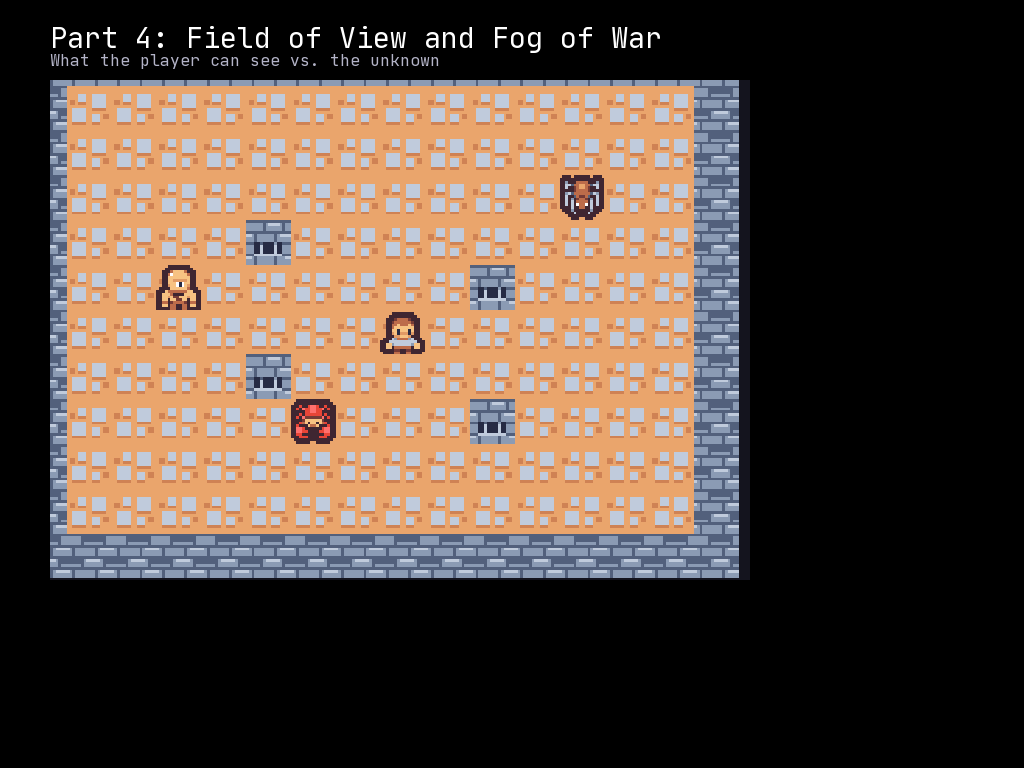
In Part 3, we generated procedural dungeons. Now we will add field of view (FOV) so players can only see what is nearby. This creates the classic roguelike “fog of war” where unexplored areas are hidden and explored areas fade into memory.
What You Will Learn
- Computing FOV with
grid.compute_fov() - Using
ColorLayerto visualize visibility states - Tracking three visibility states: visible, discovered, unknown
- Updating FOV when the player moves
- Setting the
transparentproperty for walls
Three Visibility States
Classic roguelike FOV uses three states:
| State | Description | Visual |
|---|---|---|
| Unknown | Never seen by the player | Completely black |
| Discovered | Previously seen but not currently visible | Dimmed/grayed |
| Visible | Currently in line of sight | Full brightness |
This creates a sense of exploration while letting players remember where they have been.
The Complete Code
Create a file called part_04_fov.py:
"""McRogueFace Tutorial - Part 4: Field of View

Implement fog of war with visible, explored, and unknown tiles.
"""
import mcrfpy
import random

# =============================================================================
# Constants
# =============================================================================

# Sprite indices for CP437 tileset
SPRITE_WALL = 35    # '#' - wall
SPRITE_FLOOR = 46   # '.' - floor
SPRITE_PLAYER = 64  # '@' - player

# Grid dimensions
GRID_WIDTH = 50
GRID_HEIGHT = 35

# Room generation parameters
ROOM_MIN_SIZE = 6
ROOM_MAX_SIZE = 12
MAX_ROOMS = 8

# FOV settings
FOV_RADIUS = 8

# Visibility colors (applied as overlays)
COLOR_VISIBLE = mcrfpy.Color(0, 0, 0, 0)           # Fully transparent - show tile
COLOR_DISCOVERED = mcrfpy.Color(0, 0, 40, 180)     # Dark blue tint - dimmed
COLOR_UNKNOWN = mcrfpy.Color(0, 0, 0, 255)         # Solid black - hidden

# =============================================================================
# Room Class (from Part 3)
# =============================================================================

class RectangularRoom:
    """A rectangular room with its position and size."""

    def __init__(self, x: int, y: int, width: int, height: int):
        self.x1 = x
        self.y1 = y
        self.x2 = x + width
        self.y2 = y + height

    @property
    def center(self) -> tuple[int, int]:
        center_x = (self.x1 + self.x2) // 2
        center_y = (self.y1 + self.y2) // 2
        return center_x, center_y

    @property
    def inner(self) -> tuple[slice, slice]:
        return slice(self.x1 + 1, self.x2), slice(self.y1 + 1, self.y2)

    def intersects(self, other: "RectangularRoom") -> bool:
        return (
            self.x1 <= other.x2 and
            self.x2 >= other.x1 and
            self.y1 <= other.y2 and
            self.y2 >= other.y1
        )

# =============================================================================
# Exploration Tracking
# =============================================================================

# Track which tiles have been discovered (seen at least once)
explored: list[list[bool]] = []

def init_explored() -> None:
    """Initialize the explored array to all False."""
    global explored
    explored = [[False for _ in range(GRID_WIDTH)] for _ in range(GRID_HEIGHT)]

def mark_explored(x: int, y: int) -> None:
    """Mark a tile as explored."""
    if 0 <= x < GRID_WIDTH and 0 <= y < GRID_HEIGHT:
        explored[y][x] = True

def is_explored(x: int, y: int) -> bool:
    """Check if a tile has been explored."""
    if 0 <= x < GRID_WIDTH and 0 <= y < GRID_HEIGHT:
        return explored[y][x]
    return False

# =============================================================================
# Dungeon Generation (from Part 3, with transparent property)
# =============================================================================

def fill_with_walls(grid: mcrfpy.Grid) -> None:
    """Fill the entire grid with wall tiles."""
    for y in range(GRID_HEIGHT):
        for x in range(GRID_WIDTH):
            cell = grid.at(x, y)
            cell.tilesprite = SPRITE_WALL
            cell.walkable = False
            cell.transparent = False  # Walls block line of sight

def carve_room(grid: mcrfpy.Grid, room: RectangularRoom) -> None:
    """Carve out a room by setting its inner tiles to floor."""
    inner_x, inner_y = room.inner
    for y in range(inner_y.start, inner_y.stop):
        for x in range(inner_x.start, inner_x.stop):
            if 0 <= x < GRID_WIDTH and 0 <= y < GRID_HEIGHT:
                cell = grid.at(x, y)
                cell.tilesprite = SPRITE_FLOOR
                cell.walkable = True
                cell.transparent = True  # Floors allow line of sight

def carve_tunnel_horizontal(grid: mcrfpy.Grid, x1: int, x2: int, y: int) -> None:
    """Carve a horizontal tunnel."""
    for x in range(min(x1, x2), max(x1, x2) + 1):
        if 0 <= x < GRID_WIDTH and 0 <= y < GRID_HEIGHT:
            cell = grid.at(x, y)
            cell.tilesprite = SPRITE_FLOOR
            cell.walkable = True
            cell.transparent = True

def carve_tunnel_vertical(grid: mcrfpy.Grid, y1: int, y2: int, x: int) -> None:
    """Carve a vertical tunnel."""
    for y in range(min(y1, y2), max(y1, y2) + 1):
        if 0 <= x < GRID_WIDTH and 0 <= y < GRID_HEIGHT:
            cell = grid.at(x, y)
            cell.tilesprite = SPRITE_FLOOR
            cell.walkable = True
            cell.transparent = True

def carve_l_tunnel(
    grid: mcrfpy.Grid,
    start: tuple[int, int],
    end: tuple[int, int]
) -> None:
    """Carve an L-shaped tunnel between two points."""
    x1, y1 = start
    x2, y2 = end

    if random.random() < 0.5:
        carve_tunnel_horizontal(grid, x1, x2, y1)
        carve_tunnel_vertical(grid, y1, y2, x2)
    else:
        carve_tunnel_vertical(grid, y1, y2, x1)
        carve_tunnel_horizontal(grid, x1, x2, y2)

def generate_dungeon(grid: mcrfpy.Grid) -> tuple[int, int]:
    """Generate a dungeon with rooms and tunnels."""
    fill_with_walls(grid)
    init_explored()  # Reset exploration when generating new dungeon

    rooms: list[RectangularRoom] = []

    for _ in range(MAX_ROOMS):
        room_width = random.randint(ROOM_MIN_SIZE, ROOM_MAX_SIZE)
        room_height = random.randint(ROOM_MIN_SIZE, ROOM_MAX_SIZE)
        x = random.randint(1, GRID_WIDTH - room_width - 2)
        y = random.randint(1, GRID_HEIGHT - room_height - 2)

        new_room = RectangularRoom(x, y, room_width, room_height)

        overlaps = False
        for other_room in rooms:
            if new_room.intersects(other_room):
                overlaps = True
                break

        if overlaps:
            continue

        carve_room(grid, new_room)
        if rooms:
            carve_l_tunnel(grid, new_room.center, rooms[-1].center)
        rooms.append(new_room)

    if rooms:
        return rooms[0].center
    return GRID_WIDTH // 2, GRID_HEIGHT // 2

# =============================================================================
# Field of View
# =============================================================================

def update_fov(
    grid: mcrfpy.Grid,
    fov_layer,
    player_x: int,
    player_y: int,
    radius: int = FOV_RADIUS,
) -> None:
    """Update the field of view visualization.

    Args:
        grid: The game grid
        fov_layer: The ColorLayer for FOV visualization
        player_x: Player's X position
        player_y: Player's Y position
        radius: How far the player can see (defaults to FOV_RADIUS)
    """
    # Compute FOV from player position
    grid.compute_fov((player_x, player_y), radius=radius, algorithm=mcrfpy.FOV.SHADOW)

    # Update each tile's visibility
    for y in range(GRID_HEIGHT):
        for x in range(GRID_WIDTH):
            if grid.is_in_fov(x, y):
                # Currently visible - mark as explored and show clearly
                mark_explored(x, y)
                fov_layer.set((x, y), COLOR_VISIBLE)
            elif is_explored(x, y):
                # Previously seen but not currently visible - show dimmed
                fov_layer.set((x, y), COLOR_DISCOVERED)
            else:
                # Never seen - hide completely
                fov_layer.set((x, y), COLOR_UNKNOWN)

# =============================================================================
# Collision Detection
# =============================================================================

def can_move_to(grid: mcrfpy.Grid, x: int, y: int) -> bool:
    """Check if a position is valid for movement."""
    if x < 0 or x >= GRID_WIDTH or y < 0 or y >= GRID_HEIGHT:
        return False
    return grid.at(x, y).walkable

# =============================================================================
# Game Setup
# =============================================================================

# Create the scene
scene = mcrfpy.Scene("game")

# Load texture
texture = mcrfpy.Texture("assets/kenney_tinydungeon.png", 16, 16)

# Create the grid
grid = mcrfpy.Grid(
    pos=(50, 80),
    size=(800, 560),
    grid_size=(GRID_WIDTH, GRID_HEIGHT),
    texture=texture,
    zoom=1.0
)

# Generate the dungeon
player_start_x, player_start_y = generate_dungeon(grid)

# Add a color layer for FOV visualization (below entities)
fov_layer = mcrfpy.ColorLayer(name="fov", z_index=-1)
grid.add_layer(fov_layer)

# Initialize the FOV layer to all black (unknown)
for y in range(GRID_HEIGHT):
    for x in range(GRID_WIDTH):
        fov_layer.set((x, y), COLOR_UNKNOWN)

# Create the player
player = mcrfpy.Entity(
    grid_pos=(player_start_x, player_start_y),
    texture=texture,
    sprite_index=SPRITE_PLAYER
)
grid.entities.append(player)

# Calculate initial FOV
update_fov(grid, fov_layer, player_start_x, player_start_y)

# Add grid to scene
scene.children.append(grid)

# =============================================================================
# UI Elements
# =============================================================================

title = mcrfpy.Caption(
    pos=(50, 15),
    text="Part 4: Field of View"
)
title.fill_color = mcrfpy.Color(255, 255, 255)
title.font_size = 24
scene.children.append(title)

instructions = mcrfpy.Caption(
    pos=(50, 50),
    text="WASD/Arrows: Move | R: Regenerate | Escape: Quit"
)
instructions.fill_color = mcrfpy.Color(180, 180, 180)
instructions.font_size = 16
scene.children.append(instructions)

pos_display = mcrfpy.Caption(
    pos=(50, 660),
    text=f"Position: ({player.grid_x}, {player.grid_y})"
)
pos_display.fill_color = mcrfpy.Color(200, 200, 100)
pos_display.font_size = 16
scene.children.append(pos_display)

fov_display = mcrfpy.Caption(
    pos=(400, 660),
    text=f"FOV Radius: {FOV_RADIUS}"
)
fov_display.fill_color = mcrfpy.Color(100, 200, 100)
fov_display.font_size = 16
scene.children.append(fov_display)

# =============================================================================
# Input Handling
# =============================================================================

def regenerate_dungeon() -> None:
    """Generate a new dungeon and reposition the player."""
    new_x, new_y = generate_dungeon(grid)
    player.grid_x = new_x
    player.grid_y = new_y

    # Reset FOV layer to unknown
    for y in range(GRID_HEIGHT):
        for x in range(GRID_WIDTH):
            fov_layer.set((x, y), COLOR_UNKNOWN)

    # Calculate new FOV
    update_fov(grid, fov_layer, new_x, new_y)
    pos_display.text = f"Position: ({new_x}, {new_y})"

def handle_keys(key: mcrfpy.Key, action: mcrfpy.InputState) -> None:
    """Handle keyboard input."""
    if action != mcrfpy.InputState.PRESSED:
        return

    px, py = player.grid_x, player.grid_y
    new_x, new_y = px, py

    if key == mcrfpy.Key.W or key == mcrfpy.Key.Up:
        new_y -= 1
    elif key == mcrfpy.Key.S or key == mcrfpy.Key.Down:
        new_y += 1
    elif key == mcrfpy.Key.A or key == mcrfpy.Key.Left:
        new_x -= 1
    elif key == mcrfpy.Key.D or key == mcrfpy.Key.Right:
        new_x += 1
    elif key == mcrfpy.Key.R:
        regenerate_dungeon()
        return
    elif key == mcrfpy.Key.Escape:
        mcrfpy.exit()
        return
    else:
        return

    if can_move_to(grid, new_x, new_y):
        player.grid_x = new_x
        player.grid_y = new_y
        pos_display.text = f"Position: ({new_x}, {new_y})"

        # Update FOV after movement
        update_fov(grid, fov_layer, new_x, new_y)

scene.on_key = handle_keys

# =============================================================================
# Start the Game
# =============================================================================

scene.activate()
print("Part 4 loaded! Explore the dungeon - watch the fog of war!")
Understanding the Code
The ColorLayer
fov_layer = mcrfpy.ColorLayer(name="fov", z_index=-1)
grid.add_layer(fov_layer)
A ColorLayer is a grid-sized overlay that tints each cell. The z_index=-1 places it below entities, so the player remains visible even in darkness.
Setting Cell Colors
fov_layer.set((x, y), COLOR_VISIBLE)    # Clear overlay - show tile
fov_layer.set((x, y), COLOR_DISCOVERED) # Dark tint - dimmed
fov_layer.set((x, y), COLOR_UNKNOWN)    # Solid black - hidden
The color’s alpha channel controls visibility:
- Alpha 0: Completely transparent (tile shows through)
- Alpha 180: Partially transparent (dimmed effect)
- Alpha 255: Completely opaque (tile hidden)
Computing FOV
grid.compute_fov((player_x, player_y), radius=FOV_RADIUS, algorithm=mcrfpy.FOV.SHADOW)
This calculates which tiles are visible from the player’s position:
player_x, player_y: The observer’s positionFOV_RADIUS: How far the player can seemcrfpy.FOV.SHADOW: The shadowcasting algorithm (recommended)
Checking Visibility
if grid.is_in_fov(x, y):
    # This tile is currently visible
After calling compute_fov(), use is_in_fov(x, y) to check if a specific tile is visible.
The Transparent Property
# Walls block line of sight
cell.transparent = False

# Floors allow line of sight
cell.transparent = True
The FOV algorithm uses the transparent property to determine what blocks vision. Walls should block sight (transparent=False), while floors allow it (transparent=True).
Tracking Exploration
explored: list[list[bool]] = []

def mark_explored(x: int, y: int) -> None:
    if 0 <= x < GRID_WIDTH and 0 <= y < GRID_HEIGHT:
        explored[y][x] = True
We maintain a 2D array tracking which tiles have ever been seen. Once a tile is visible, we mark it as explored. Explored tiles remain dimly visible even when out of FOV.
The Update Loop
def update_fov(grid, fov_layer, player_x, player_y, radius=FOV_RADIUS):
    # 1. Compute what is visible
    grid.compute_fov((player_x, player_y), radius=radius, algorithm=mcrfpy.FOV.SHADOW)

    # 2. Update each tile's visual state
    for y in range(GRID_HEIGHT):
        for x in range(GRID_WIDTH):
            if grid.is_in_fov(x, y):
                mark_explored(x, y)
                fov_layer.set((x, y), COLOR_VISIBLE)
            elif is_explored(x, y):
                fov_layer.set((x, y), COLOR_DISCOVERED)
            else:
                fov_layer.set((x, y), COLOR_UNKNOWN)
This runs every time the player moves:
- Compute new FOV from player position
- For each tile, determine its visibility state
- Update the color layer accordingly
Movement Triggers FOV Update
if can_move_to(grid, new_x, new_y):
    player.grid_x = new_x
    player.grid_y = new_y
    update_fov(grid, fov_layer, new_x, new_y)  # Recalculate!
FOV must be recalculated whenever the player moves. This is essential for the fog of war to update correctly.
FOV Algorithms
McRogueFace supports multiple FOV algorithms:
| Algorithm | Description |
|---|---|
mcrfpy.FOV.BASIC |
Simple raycasting - fast but less accurate |
mcrfpy.FOV.SHADOW |
Recursive shadowcasting - natural shadows, recommended |
The SHADOW algorithm produces more realistic shadows around corners and is the standard choice for roguelikes.
How Shadowcasting Works
The shadowcasting algorithm works by:
- Dividing the area around the player into 8 octants
- For each octant, scanning outward row by row
- Tracking “shadow” angles cast by walls
- Marking tiles as visible unless they fall within a shadow
     Shadows cast by walls
          \   /
           \ /
    Wall -> X <- Wall
           /|\
          / | \
         /  |  \
        Player
Walls cast shadows that block tiles behind them from view.
Visibility Colors
The three colors create a clear visual distinction:
COLOR_VISIBLE = mcrfpy.Color(0, 0, 0, 0)        # Transparent
COLOR_DISCOVERED = mcrfpy.Color(0, 0, 40, 180)  # Dark blue tint
COLOR_UNKNOWN = mcrfpy.Color(0, 0, 0, 255)      # Solid black
The dark blue tint for discovered tiles suggests “memory” - the player remembers the layout but cannot see current details.
Try This
- Adjust FOV radius: Change
FOV_RADIUSto 4 or 12 and observe the difference - Different discovery color: Try
mcrfpy.Color(40, 40, 40, 180)for a gray tint instead of blue - Torchlight effect: Add slight random variation to the visible area radius
- Light sources: Create a second FOV calculation from a torch position
- Transparent walls: Add glass walls with
walkable=False, transparent=True
Challenge: Dynamic Lighting
Create flickering torchlight by varying the FOV radius:
import math

base_radius = 8
time_counter = 0

def update_lighting(timer, runtime):
    global time_counter
    time_counter += 1
    # Vary radius between 7 and 9
    flicker = math.sin(time_counter * 0.3) * 0.5 + 0.5
    current_radius = int(base_radius - 1 + flicker * 2)
    update_fov(grid, fov_layer, player.grid_x, player.grid_y, current_radius)

light_timer = mcrfpy.Timer("lighting", update_lighting, 100)  # Update every 100ms
Challenge: Enemy Visibility
Make enemies only visible when in FOV (we will add enemies in Part 5, but here is a preview):
def update_entity_visibility():
    for entity in grid.entities:
        if entity == player:
            continue
        ex, ey = entity.grid_x, entity.grid_y
        # Hide entities outside FOV
        entity.visible = grid.is_in_fov(ex, ey)
Common Mistakes
- Forgetting to set
transparent: FOV will not work correctly if walls havetransparent=True - Not updating on movement: FOV must be recalculated after every player move
- Wrong layer z_index: If
z_indexis positive, the color layer may cover entities - Forgetting to reset on regeneration: When generating a new dungeon, reset the explored array and FOV layer
Performance Note
The current implementation iterates over all tiles when updating FOV. For larger maps, you could optimize by:
- Only updating tiles near the player
- Caching the previous FOV and only updating changed tiles
- Using dirty rectangles to limit the update area
For typical roguelike map sizes (up to 100x100), the simple approach works fine.
What is Next
In Part 5, we will add enemies to the dungeon. You will learn:
- Spawning enemy entities in rooms
- Making enemies only visible when in FOV
- Basic entity data structures
- Blocking movement with other entities
Continue to Part 5: Placing Enemies
Complete Code Reference
The complete code is shown above. Key additions from Part 3:
- FOV layer:
mcrfpy.ColorLayer(name="fov", z_index=-1)+grid.add_layer(fov_layer) - Exploration tracking:
explored2D array withmark_explored()andis_explored() - FOV computation:
grid.compute_fov()andgrid.is_in_fov() - Visibility colors:
COLOR_VISIBLE,COLOR_DISCOVERED,COLOR_UNKNOWN - Transparent property: Set on all tiles for proper FOV calculation